


SoccerSTATS.com Mobile App
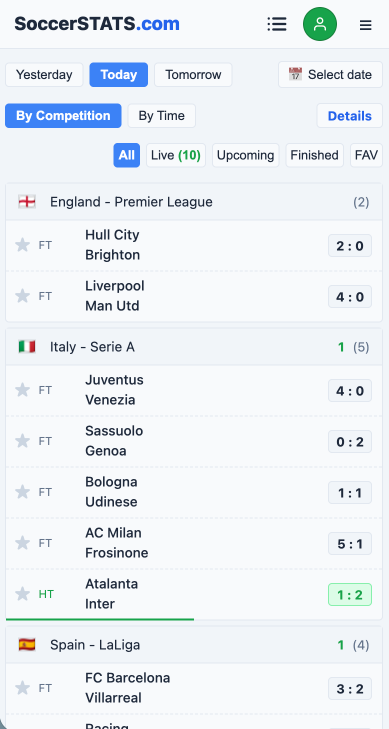
Progressive Web App
Install SoccerSTATS.com directly on your mobile phone
SoccerSTATS.com is available as a Mobile Web App (Progressive Web App) for Android and iOS. Once added to your phone, it sits right on your home screen with its own app icon and opens in a clean, full-screen view—just like any other app.
The SoccerSTATS.com app is installed directly from your mobile web browser in just a few seconds using the steps below.
- Instant access: Launch live scores, league tables, and team stats straight from your home screen.
- Always up to date: No manual app updates or large downloads required.
- Lightweight: Takes virtually no storage space on your device.
Android How to install on Android (Chrome)
- Open www.soccerstats.com in Google Chrome (or another PWA-compatible Android browser).
- If Chrome displays an automatic "Install app" banner, simply tap it to install right away.
- Otherwise, tap the three vertical dots (⋮) in the top-right corner of the browser.
- Tap "Add to Home screen" (or "Install app").
- At the confirmation prompt, tap "Install" to add the SoccerSTATS.com icon to your home screen.


iOS How to install on iPhone & iPad (Safari)
- Open www.soccerstats.com in the Safari browser.
- Tap the "Share" icon (the square with an upward arrow) at the bottom of the screen.
- Scroll down the list of options and tap "Add to Home Screen".
- Tap "Add" in the top-right corner to confirm and place the app icon on your home screen.
Browser compatibility: Progressive Web App installation is best supported on the latest versions of Chrome on Android and Safari on iOS. Because not all mobile browsers support Progressive Web Apps, the installation option may vary or be unavailable depending on the browser type or version you use.